Play
Creative Kids Makeover Studio
Showtime

Creative Kids Makeover Studio

Casual Dress-up Creativity
Developer: Victory Pixel Digital
Published: 2024-09-16
Updated: 2026-06-27

Creative Kids Makeover Studio is a wonderful game for young children who love dress-up and spa activities. It provides a calm, pressure-free environment where kids can explore facials, manicures, hairstyling, and pedicures. The bright graphics and simple controls make it easy to play, while unlockable items add motivation. Parents will appreciate the safe, ad-free experience that encourages creativity and attention to detail. Highly recommended for family fun.

Plays in your browser — no install.

About this game

Game Introduction

Creative Kids Makeover Studio is a delightful and creative makeover experience designed for young fashion lovers. In this game, players step into the role of a kind salon owner and help their friends look their best. The core objective is to perform a variety of beauty treatments, including facials, manicures, hairstyling, and pedicures, in a safe and family-friendly environment. What makes this game unique is its focus on creativity, care, and friendship, allowing children to explore beauty treatments without any pressure. With bright colors and simple controls, it is easy for kids to play and enjoy, making it a perfect choice for young fashionistas who enjoy dress-up and spa fun.

How to Play

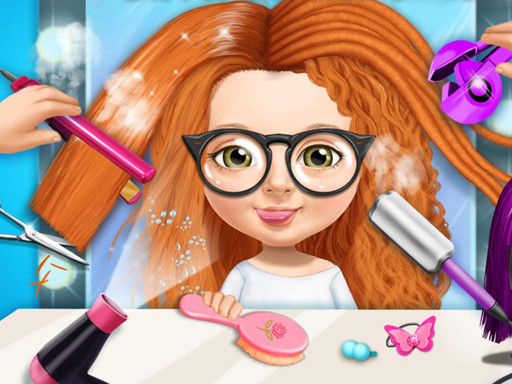
To begin, players choose a character from the salon menu. Each friend needs a different treatment, such as a facial, manicure, hairstyle, or pedicure. Using a mouse or touch screen, players pick tools and products from the station. For manicures, they select nail polish colors and apply them carefully. Facials involve following steps to cleanse, moisturize, and add a face mask. Hairstyling lets players cut, curl, or straighten hair, then add bows or clips. Pedicures include soaking feet, trimming nails, and painting fun designs. Completing each step earns points and unlocks new items. There are no time limits, so players can take their time and enjoy being creative. The game has clear instructions and bright visuals, making it intuitive for beginners.

Game Features

Creative makeover activities including facials, manicures, hairstyling, and pedicures. No time limits for relaxed play. Unlockable items and tools as players earn points. Bright, child-friendly graphics and easy touch or mouse controls. Safe environment with no inappropriate content. Encourages creativity, attention to detail, and following simple steps. The game provides a calm and creative space for kids to express their style.

Tips for Success

Take your time with each step to ensure a neat and beautiful result. Experiment with different colors and accessories to discover your favorite combinations. Pay close attention to the instructions for each treatment to complete it correctly. Try to earn points by finishing tasks thoroughly, as this will help unlock new items and tools. Practice regularly to improve your skills and speed, but remember there is no rush. Most importantly, have fun and let your creativity shine!

✅ Compatibility & Testing

• Desktop (Windows 11, macOS Ventura)
• Mobile (iPhone 14, Samsung Galaxy S23)
• Tablet (iPad Pro, Android tablet)
✅Supported browsers: Chrome, Safari, Edge, Firefox (latest versions)
❌ Not supported: Internet Explorer, older browser versions
FAQ
Is Creative Kids Makeover Studio suitable for very young children?
Yes, the game is designed for young children. It features simple controls, bright visuals, and no time limits, making it easy for even preschoolers to enjoy. Parents can feel confident that the content is safe and age-appropriate.
Do I need to download any software to play Creative Kids Makeover Studio?
Creative Kids Makeover Studio is an online game that runs directly in a web browser. No downloads or installations are required. Players just need a device with internet access and a mouse or touch screen.
Can I play Creative Kids Makeover Studio on a tablet or smartphone?
Yes, the game is optimized for touch screens, so it works well on tablets and smartphones. The controls are designed for easy tapping and dragging, making it convenient for mobile play.
Are there any in-app purchases or ads in Creative Kids Makeover Studio?
The game is free to play and does not include any in-app purchases. It may display non-intrusive ads, but these are carefully selected to be family-friendly and do not interrupt gameplay.
How many different characters can I style in Creative Kids Makeover Studio?
The game includes several characters, each with their own unique style and preferences. Players can choose from a variety of friends to give makeovers, ensuring fresh and fun experiences each time.
What happens if I make a mistake during a makeover in Creative Kids Makeover Studio?
There is no penalty for mistakes. Players can simply undo or redo steps, or start a treatment over. The game encourages experimentation and learning, so children can try again without frustration.
Advertisement

Other Similar Games