Play
Star Launch Challenge Arcade
Showtime

Star Launch Challenge Arcade

Hyper Casual Skill Vehicle
Developer: Dream Pixel Studio
Published: 2024-11-28
Updated: 2026-07-03

Star Launch Challenge Arcade offers a refreshing mix of simple controls and strategic depth. The color matching mechanic is easy to learn but hard to master, and the AI opponent keeps each round competitive. With sessions under a minute, it's perfect for quick gaming breaks.

Plays in your browser — no install.

About this game

Game Introduction

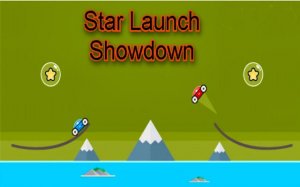
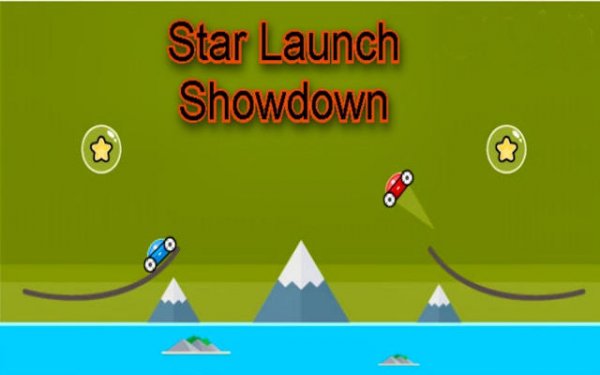
Star Launch Challenge Arcade is an online arcade game that combines simple controls with strategic thinking. Players control a space vehicle on a launch pad, aiming to collect a shining star in each level. The key challenge is matching the booster pad color to the correct moment. Launching too early or on the wrong color sends the vehicle off course. This creates a rewarding test of patience and precision, making each attempt a fresh puzzle. The game is designed for quick sessions, typically under a minute, ideal for short breaks. As players progress, levels introduce more complex color patterns and star placements, increasing the difficulty. The presence of an AI opponent, Bolt, adds a competitive element, as players race to collect the star first. The game features vibrant space visuals and physics-based launches that provide satisfying feedback.

How to Play

To play, you control a space vehicle on a launch pad. Your goal is to launch the vehicle toward a star. The booster pad beneath your vehicle cycles through different colors. You must release the launch button when the pad shows the color that matches the star target. This sends the vehicle flying straight toward the star. If you launch on the wrong color, the vehicle will not reach the star. You compete against an AI opponent, Bolt, who also tries to collect the star. The first to reach the star wins the level. Controls are simple and work with mouse, touch, or keyboard.

Game Features

Universal controls work with mouse, touch, and keyboard for easy access. Hyper-casual sessions last under a minute, making them ideal for quick breaks. Strategic color matching adds a layer of skill beyond simple timing. Competitive play against the AI opponent Bolt increases replay value. Vibrant space visuals and physics-based launches create satisfying feedback. The game is designed to be accessible to players of all ages.

Tips for Success

Practice patience and wait for the correct color before launching. Observe the pattern of the booster pad to anticipate the right timing. Stay calm and focused, as rushing often leads to mistakes. Each level offers a new puzzle, so learn from failed attempts and adjust your timing. Regular practice will improve your ability to match colors quickly.
✅ Compatibility & Testing

• Desktop (Windows 11, macOS Ventura)
• Mobile (iPhone 14, Samsung Galaxy S23)
• Tablet (iPad Pro, Android tablet)
✅Supported browsers: Chrome, Safari, Edge, Firefox (latest versions)
❌ Not supported: Internet Explorer, older browser versions
FAQ
Can I play Star Launch Challenge Arcade offline?
Star Launch Challenge Arcade is primarily an online game, as it requires a web browser to run. Some browsers may support limited offline play if the page is cached, but for the best experience, an internet connection is recommended.
Is there a way to track my progress or high scores?
The game may include a scoring system that records your best times or star collection streaks. Check the game interface for any score display or level progress indicators. This helps you see improvement over time.
Are there different difficulty levels in Star Launch Challenge Arcade?
The game increases difficulty gradually as you advance through levels. Later levels introduce more complex color patterns and star placements, requiring quicker reactions and better timing. There may not be separate difficulty settings, but the challenge grows naturally.
Can I play Star Launch Challenge Arcade on a mobile device?
Yes, the game supports touch controls, making it compatible with smartphones and tablets. The simple interface and quick session length make it well-suited for mobile play during short breaks.
What happens if I launch on the wrong color?
If you launch on the wrong color, your space vehicle will not fly straight toward the star. Instead, it may veer off course, causing you to miss the star. You will need to retry the level, learning from the mistake to improve your timing.
Is there a multiplayer mode to play with friends?
Star Launch Challenge Arcade features an AI opponent named Bolt, but it does not appear to support direct multiplayer with friends. The competitive element comes from racing against the AI, which provides a consistent challenge.
Advertisement

Other Similar Games